divaloreAndroid & iOS App
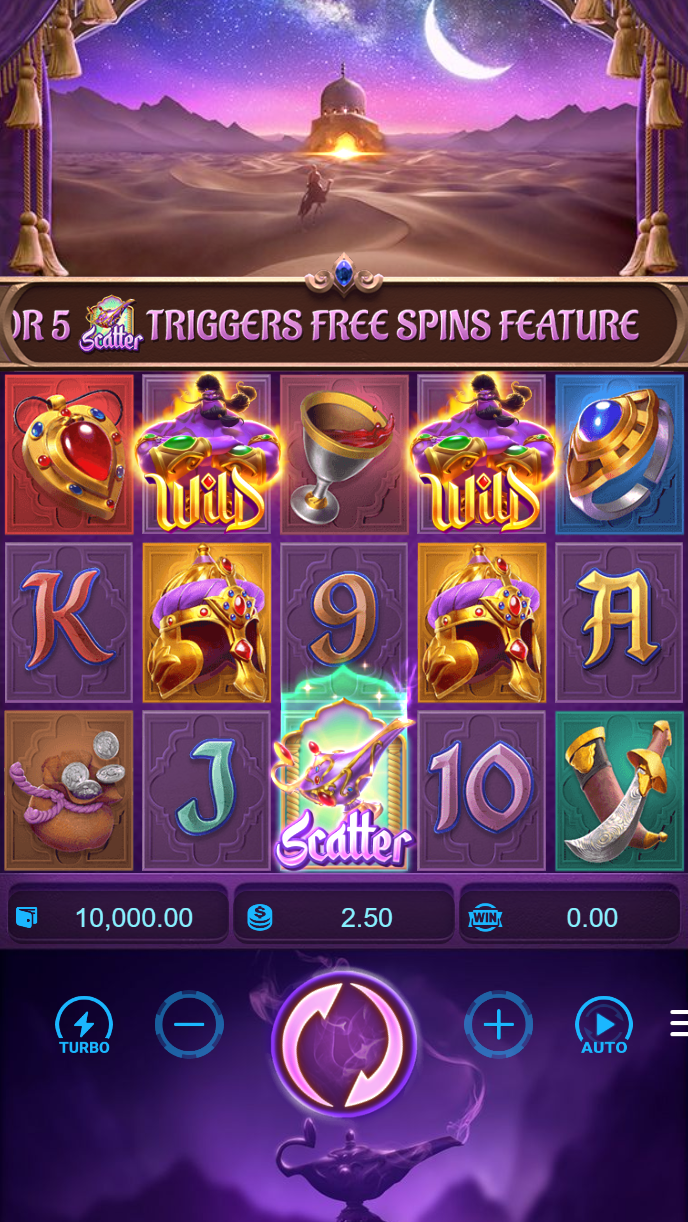
Our divalore app brings football markets, live-dealer tables, and slot games to your phone or tablet. Mobile play matters because you access Liga 1, Piala AFF, Champions League, and live Dragon Tiger from anywhere—during your commute in Jakarta, a lunch break in Surabaya, or downtime in Bandung. The app caches match data so you can review odds without constant internet, and push notifications alert you when fixtures start or market odds shift. We designed divalore for speed; games load in seconds, deposits settle instantly when using e-wallet or mobile banking, and your account syncs across devices.
- and
- StartFirst Game
- Update
- SHA256 Match
divalore works on Android (version 7 and later) and iOS (version 12 and later) via both native app and mobile browser. Android users can download our APK directly or install from the browser; iOS users access divalore through Safari or Chrome without requiring App Store registration. All three paths use the same account, same balance, and same payment methods (local payment, online payment, e-wallet, mobile banking, local payment, online payment, e-wallet, mobile banking, local payment, online payment). Your session, withdrawal requests, and game history remain synchronized whether you switch between app and browser.
This page walks through installation on Android and iOS, explains the differences between app and browser play, and covers setup issues you may encounter. We also detail our data security practices and how permissions work on your device. divalore services are available only where local law permits; account holders are responsible for verifying compliance with their jurisdiction's regulations.
How to install the divalore app on Android or iOS
Installation paths differ slightly between Android and iOS. On Android, you download an APK file from divalore's website and install it manually—no App Store submission required. On iOS, you use your mobile browser (Safari or Chrome) to access divalore as a web app; iOS does not allow sideloading of gaming apps outside the official App Store, so we deliver the full experience through the browser.
-
Download the divalore APK (Android) or open Safari (iOS)
On Android, visit divalore.app and tap "Download APK"; on iOS, open Safari and navigate to divalore.app or bookmark the site for quick access.
-
Complete installation or add to home screen
Android: tap the downloaded APK file and confirm installation (you may need to allow "Unknown Sources" in your device settings). iOS: tap the Share icon in Safari and select "Add to Home Screen."
-
Register or log in to your divalore account
Enter your username (or email) and password, or create a new account if you haven't already. Verify your email and phone number to unlock deposits and withdrawals.
-
Deposit via QRIS, e-wallet, mobile banking, or bank transfer and start playing
Choose your payment method from divalore's Cashier, confirm the amount, and your balance updates immediately for live tables, slots, and football markets.

App versus browser play on divalore
Both the divalore app and browser deliver the same games and markets, but each has practical advantages. The native Android app caches match schedules and historical odds, so you can browse Liga 1 or Champions League fixture lists even without an internet connection; the app also uses less data than streaming the browser constantly. Push notifications on the app alert you when fixtures start, market odds shift significantly, or your withdrawal settles—features the browser cannot deliver. The app also loads live-dealer tables (Dragon Tiger, AduQ, Sic Bo) slightly faster because it doesn't reload the entire page between sessions. Performance is snappier, especially during peak hours around Idul Fitri or Piala Indonesia tournaments when server load increases.
The browser path (iOS or Android) requires no installation step and updates automatically—you always access the latest divalore features without manually downloading a new version. Browser play is ideal if you want to try divalore local paymentefly before committing to the app, or if you prefer not to use storage space on your device. Both app and browser sync your account in real time, so a deposit or withdrawal on one platform reflects immediately on the other.
Device compatibility and Android/iOS requirements
The divalore app requires Android 7.0 or later; most phones from the past six years meet this standard. iOS users need iOS 12.0 or later, which covers iPhones from iPhone 5S onwards. Both platforms benefit from 4 GB of RAM or higher for smooth gameplay, though divalore runs on lower-spec devices. An active internet connection (Wi-Fi or mobile data) is needed for live games, football market updates, and payment processing; however, the Android app caches offline content so you can review schedules during dead zones. Older devices may experience slower app launch or longer wait times during peak hours on divalore.
Troubleshooting common divalore installation issues
On Android, the most common issue is "Unknown Sources" being disabled. If your phone blocks APK installation, open Settings > Security or Apps > Special App Access > Install Unknown Apps, locate your browser, and toggle permission on. Your device may warn that the APK is from an unverified source; this is normal for sideloaded apps and does not indicate malware. If the APK download stalls, clear your browser cache and try again over a stable Wi-Fi connection. On iOS, if divalore loads slowly in Safari, clear your browser cookies (Settings > Safari > Clear History and Website Data) and revisit divalore.app. If you see certificate warnings, this typically means your device's date/time is set incorrectly—adjust your phone's clock to current time and reload. Both platforms may require you to update your iOS or Android system to the latest version for optimal divalore performance.

Data security and app permissions on divalore
The divalore app uses SSL encryption for all account and payment data; your username, password, and balance are transmitted securely between your device and our servers. We do not store payment credentials locally on your phone—card or wallet details are processed by payment providers (online payment, e-wallet, mobile banking, local payment, etc.) and never cached on your device. The app requests only essential permissions: internet access (to connect to divalore servers), camera permission (for optional account verification if you upload a photo of your ID), and notification permission (to send push alerts about fixtures and withdrawals). You can revoke any permission in your device settings without affecting core divalore play—you simply won't receive push notifications or be able to upload ID photos. We do not access your contacts, photos, location, or other personal data. Your transaction history, account balance, and game activity remain encrypted at rest on divalore's servers. If you lose your phone, log in to divalore from another device, change your password, and your old phone cannot access your account. Contact divalore support immediately if you suspect unauthorized access.
divalore mobile checklist
- Android 7.0+ or iOS 12.0+ required; older devices may experience slower load times
- Download the divalore APK (Android) or use Safari (iOS); both paths use your single account
- Verify your email and phone before depositing via online payment, e-wallet, mobile banking, local payment, or bank transfer
- The app caches match data offline and sends push notifications; the browser updates automatically with no installation
- All account data is encrypted; divalore does not store payment credentials on your device
- If installation fails, check "Unknown Sources" permission (Android) or device date/time (iOS)